Installation
Install Fire VT on an Android Q7
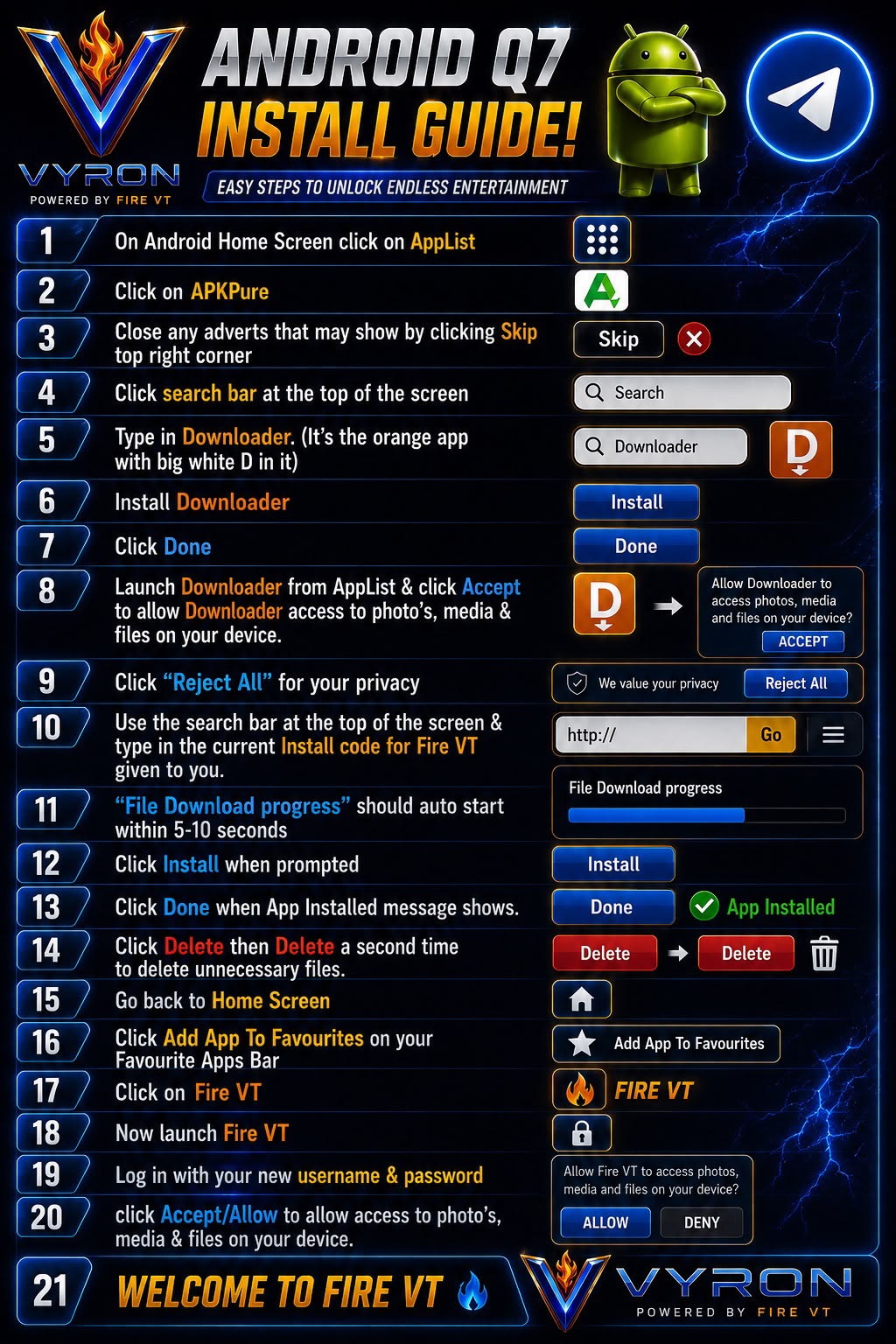
The Q7 poster uses APKPure to obtain Downloader. Launcher and store names may differ.
- Open Home → App List → APKPure, if available. Skip adverts and search for Downloader by AFTVnews (the orange D icon). Avoid lookalike apps and advert download buttons.
- Install Downloader and select Done. Where available, use the device’s official app store to obtain Downloader instead.
- Launch Downloader from the app list. Allow the file access it needs; reject optional cookies if offered.
- Enter the current installation code or download address supplied by Davie. Wait for the APK to finish downloading.
- If prompted, allow installation from Downloader only. Return to the downloaded file, select Install, then Done.
- Delete the downloaded installation file once installation has succeeded. Confirm deletion if asked.
- Return Home → Add App to Favourites and choose Fire VT, if your launcher provides that option.
- Open Fire VT, enter your account username and password, and allow the media access needed by the app if prompted.
Original poster
Older poster reference. Follow the written steps above if the wording or menu names differ.
Still need a hand?
Send Davie your device model, the exact error and the steps you have tried.
Message Davie on Telegram